April 1 passes, and the jokes and false alerts that make you question everything on April Fools' Day fade away.
Regrettably, scammers keep working.
Springtime marks a surge in hacker activity—not because security is lax, but because people are busy, distracted, and rushing through their tasks. That's when deceptive scams sneak in unnoticed, appearing as normal parts of a workday until it's too late.
Below are three current scams targeting not the naive, but vigilant, well-intentioned employees aiming to power through their day.
As you review these, consider one key question: Would my entire team take the necessary moment to spot these threats?
Scam #1: Fake Toll or Parking Fee Texts
An employee receives a message:
"You owe $6.99 for unpaid tolls. Pay within 12 hours to avoid penalties."
The message references legitimate toll services like E-ZPass, SunPass, or FasTrak, matching the recipient's location. The small amount avoids raising suspicion. Between meetings, they click the link and pay without a second thought.
But the link is fraudulent.
In 2024 alone, the FBI logged over 60,000 complaints about fake toll texts, with reports soaring 900% in 2025. Hackers have created more than 60,000 counterfeit domains mimicking state toll authorities, indicating the high profitability of this scam. Some texts have even targeted states without toll roads.
This trick works because $6 seems trivial, and many have recently passed through tolls or parking zones, making the message believable.
The defense: Authentic toll authorities never demand instant payment via text. Smart companies enforce strict policies—payments are never made through text message links. When in doubt, employees should navigate directly to official apps or websites to verify. Importantly, they should avoid replying—even with "STOP"—to prevent confirming their number as active and inviting more scams.
Convenience entices. Process protects.
Scam #2: 'Your File Is Ready' Email
This scam fits seamlessly into everyday work routines.
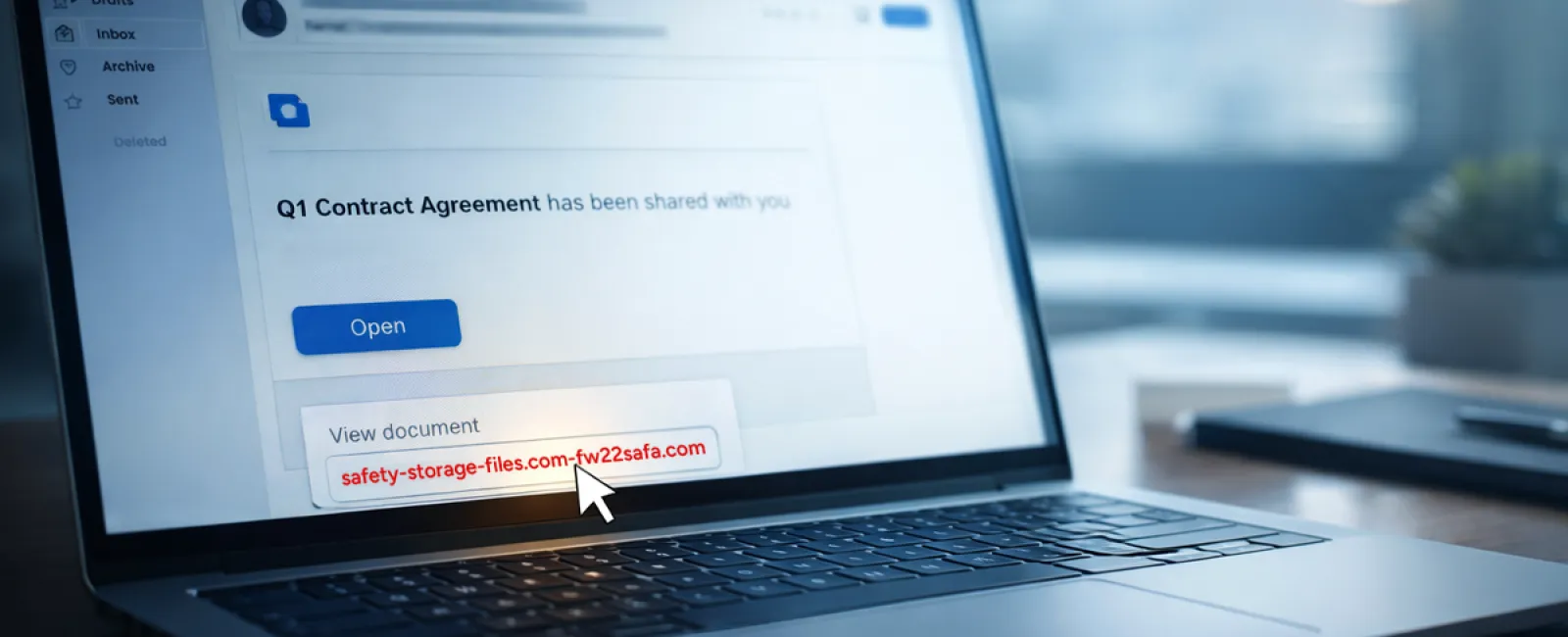
An employee receives an email saying a document has been shared—often a contract via DocuSign, a spreadsheet on OneDrive, or a file in Google Drive.
The sender appears legitimate; formatting matches true file-sharing alerts.
They click, log in, and inadvertently hand over their credentials.
With those, attackers gain access to your company's cloud resources.
This phishing style has surged, exploiting trusted platforms like Google Drive and DocuSign. According to KnowBe4's 2025 Threat Labs, such attacks climbed 67%, with Google Slides phishing links alone spiking 200% in six months.
Worryingly, employees are seven times more likely to click these malicious file links than random emails, as the notifications are indistinguishable from authentic ones.
Some attackers even use hacked accounts to send genuine-looking notifications via real Google or Microsoft servers, evading spam filters.
Protection measure: Train employees not to click unexpected file links directly. Instead, they should log into the platform manually via their browser to verify the file's existence. Companies should limit external sharing permissions and activate alerts for unusual login activities—tasks your IT team can implement swiftly.
Simple routines, powerful defenses.
Scam #3: Highly Professional Phishing Emails
Gone are the days when phishing attempts were riddled with grammatical errors and strange formats.
A 2025 study revealed AI-generated phishing emails achieve a 54% click rate—over four times higher than the 12% for human-crafted scams. These emails appear authentic, referencing real companies, roles, and processes scraped instantly from public sources.
These messages target departments precisely: HR and payroll face fake employee verification requests; finance teams receive fraudulent vendor payment instructions. In a recent test, 72% of recipients interacted with vendor impersonation emails—90% more than other phishing types. These emails come across as calm, professional, and urgent without raising suspicion, blending naturally into any inbox.
Defense strategy: Verify requests involving credentials, payment changes, or sensitive data through a separate channel—a phone call, chat, or face-to-face confirmation. Encourage employees to hover over sender addresses before clicking to confirm domain authenticity. Treat urgency itself as a warning sign.
True security doesn't rely on panic.
The Bottom Line
Each scam exploits trust, authority, timing, and the belief that "this will only take a moment."
The real vulnerability isn't negligent employees—it's systems that assume everyone will always pause, think critically, and make flawless decisions under pressure.
If one hurried click can disrupt your operation, it's not a people issue—it's a process flaw.
And process flaws can be resolved.
How We Can Support You
Most business owners don't want to add another responsibility or become the cybersecurity educator.
They simply want confidence that their company isn't unknowingly exposed.
If you're worried about your team's exposure—or know someone who should be—let's talk.
Book a straightforward discovery call to discuss:
• Current risks facing businesses like yours
• How threats sneak in through routine work
• Practical steps to minimize risk without disrupting workflow
No pressure. No fear tactics. Just a clear conversation to identify concerns and explore solutions.
Click here or give us a call at 336-310-0277 to schedule your free Discovery Call.
If this isn't relevant for you, please share it with someone who could benefit. Often, just recognizing the threat turns a near miss into a security win.


